Budget Easy — @budget_easy_bot Telegram Bot

Budget Easy — Telegram Bot @budget_easy_bot
Scan to open on phone
Budget Easy — Telegram Bot @budget_easy_bot
Bot address: @budget_easy_bot
Description from Bot

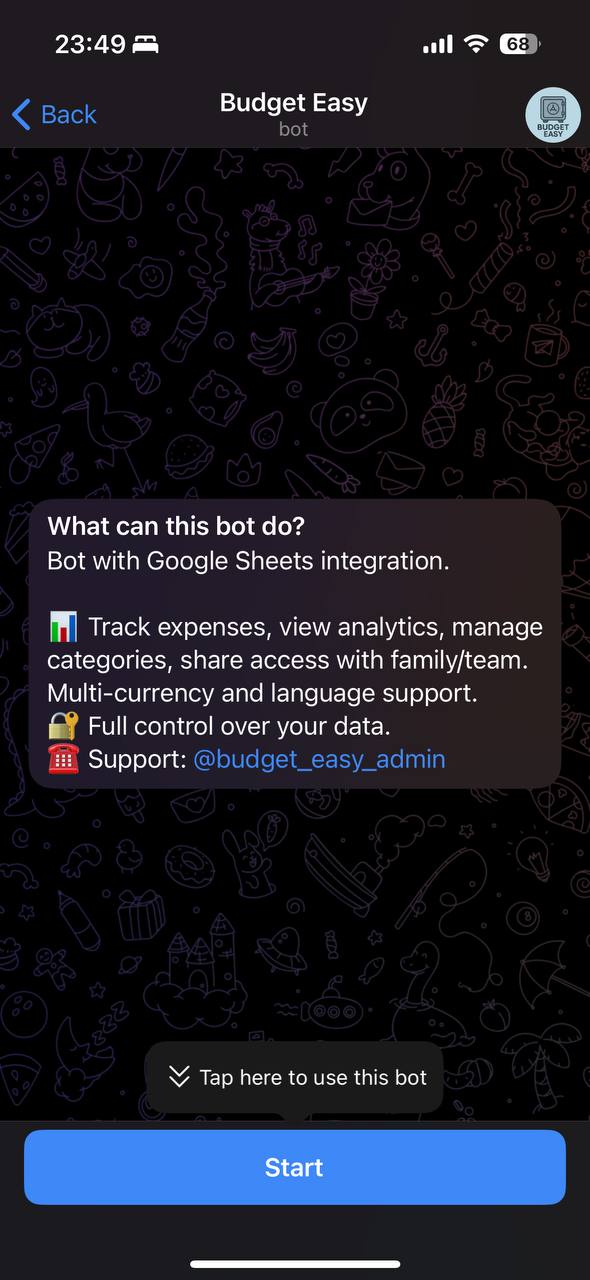
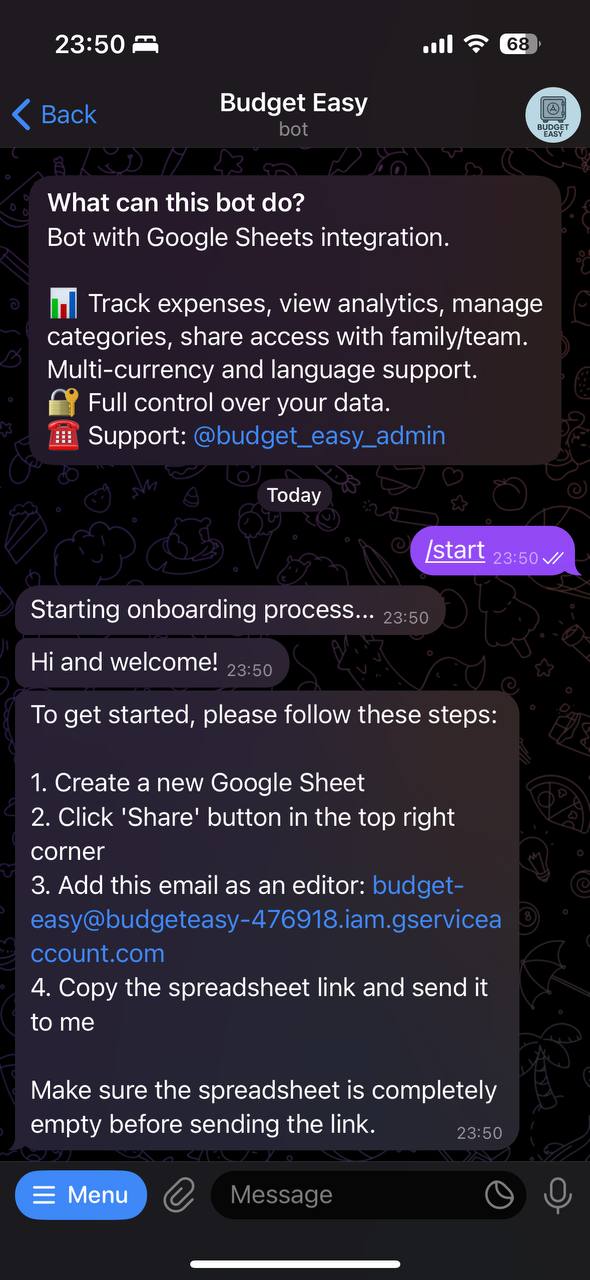
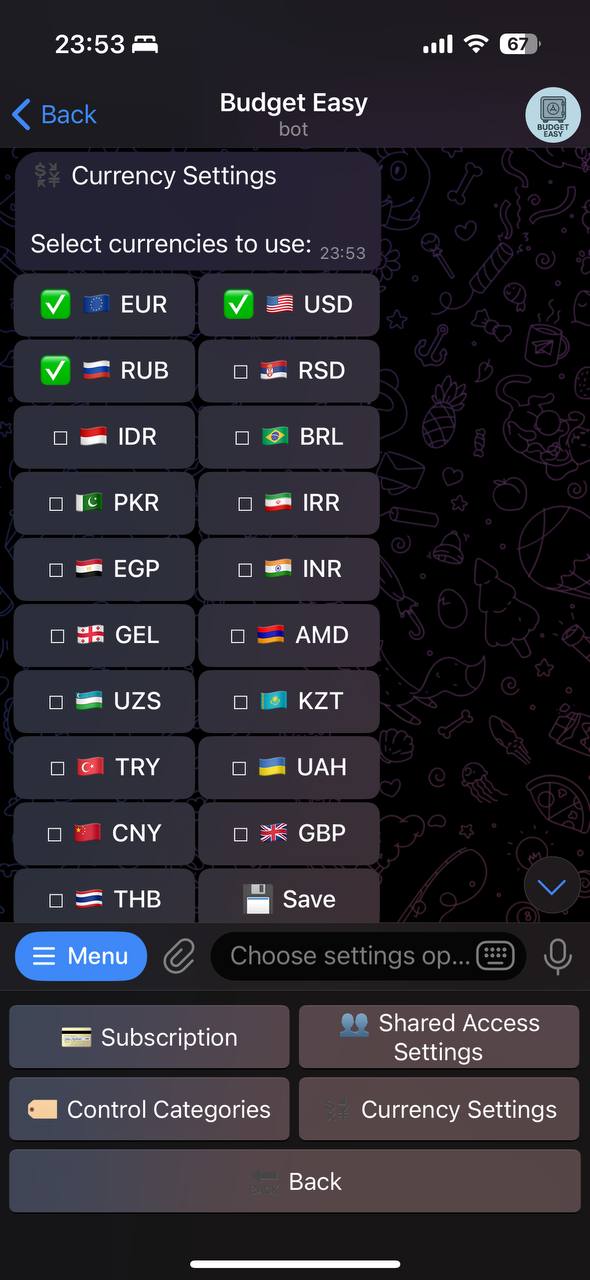
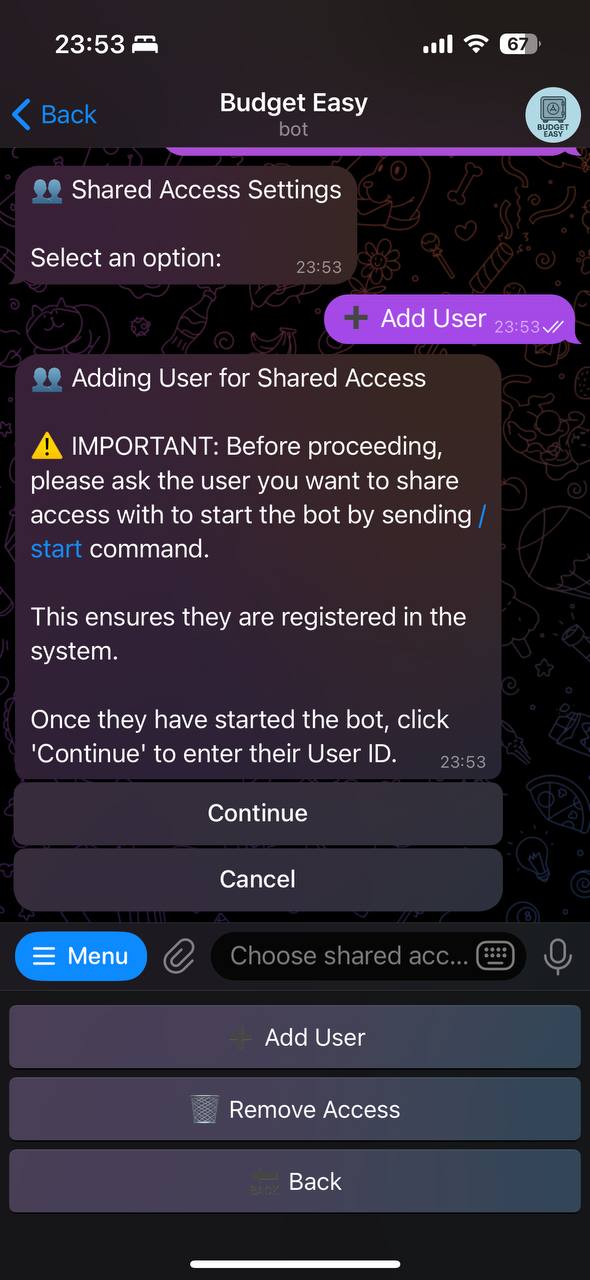
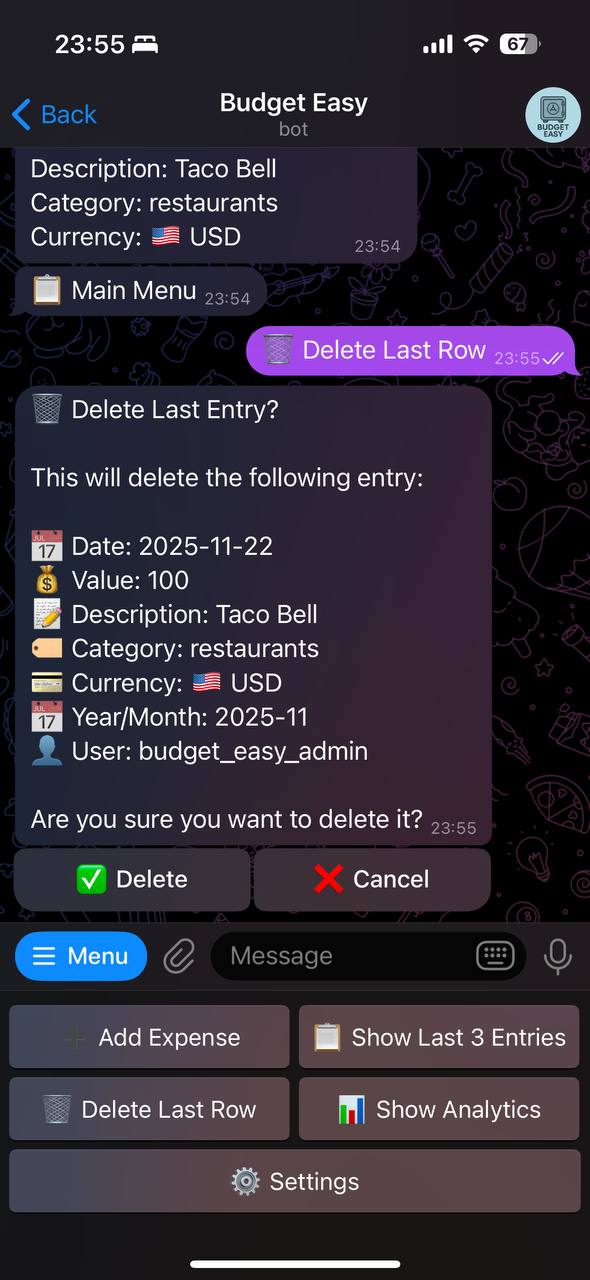
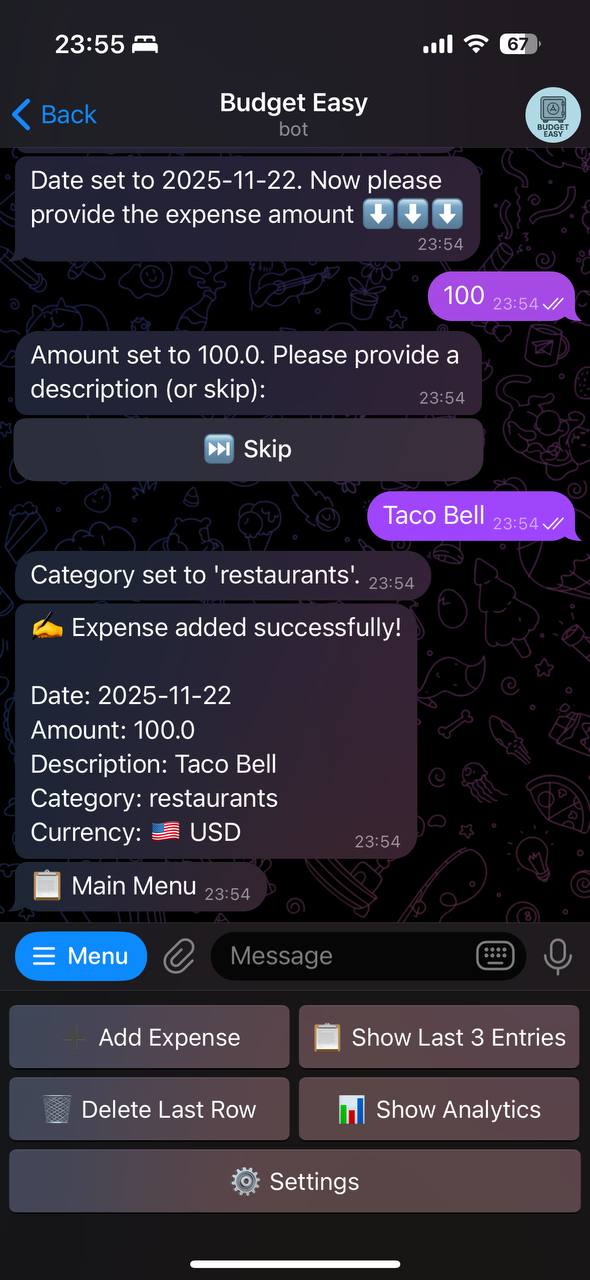
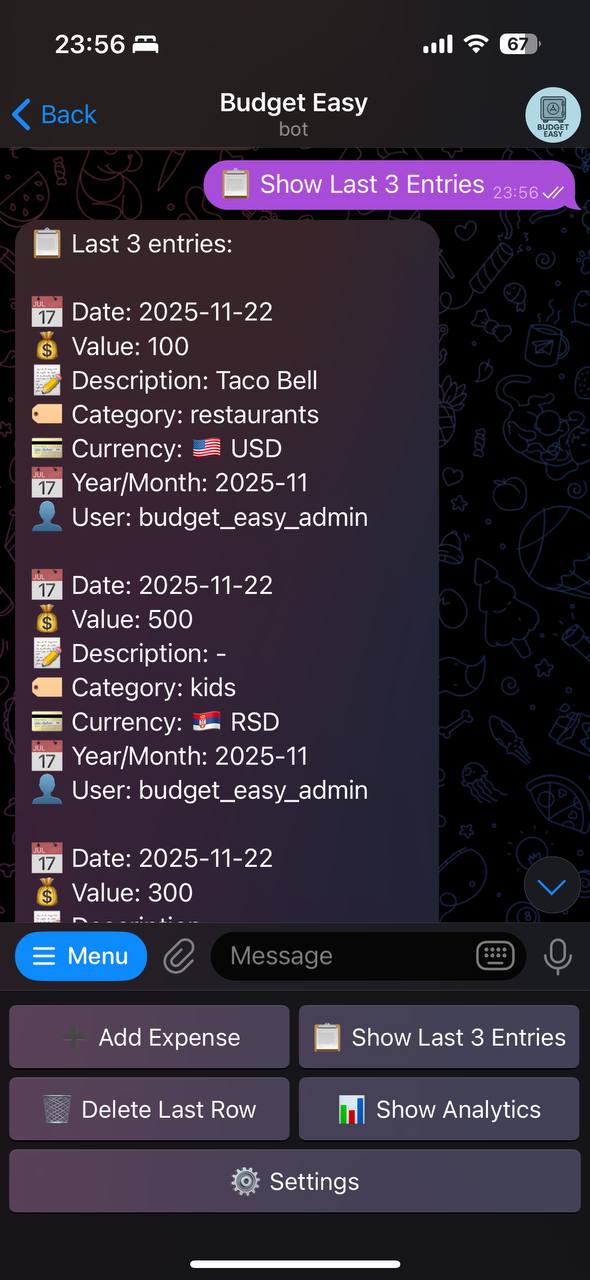
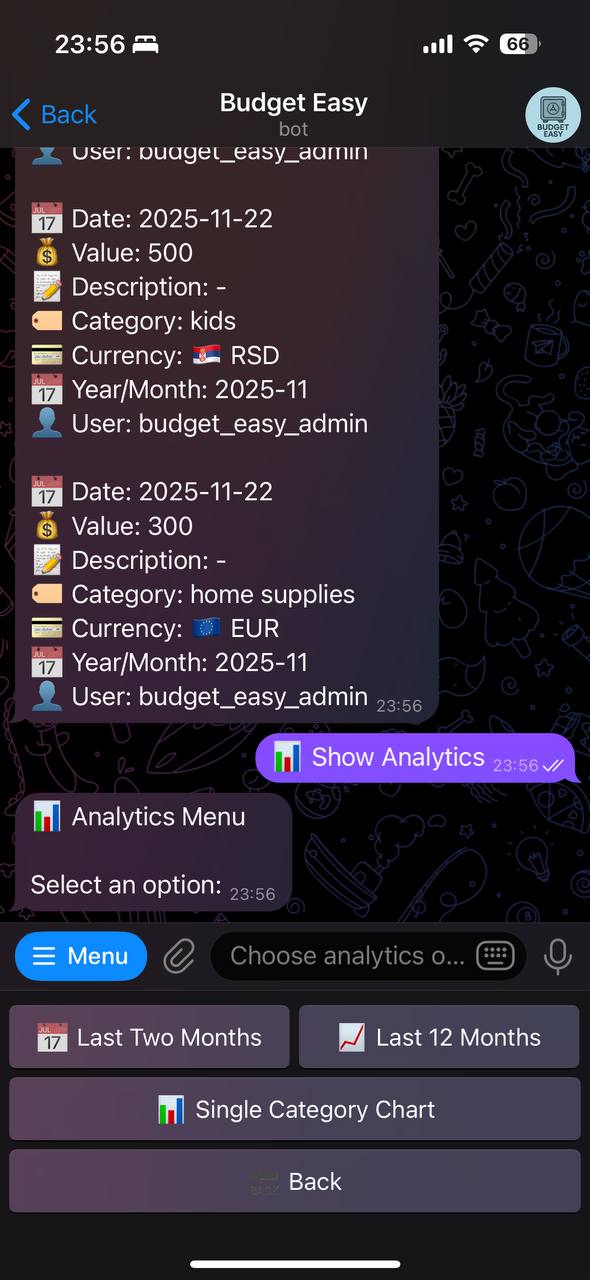
Budget Easy Bot is a Telegram bot for personal expense tracking and financial management. It integrates with Google Sheets to store user data, giving users full control and easy access. Core Features: The bot supports expense tracking for multiple currencies. Users can add expenses, view the last entries, delete the last entry, and manage categories. Analytics include charts for the last two months, 12-month trends, and single-category breakdowns. Available in English and Russian. Users select their language during onboarding, and all messages are translated. Subscription Model: Uses Telegram Stars for payments. New users receive a 14-day trial. After that, a 30-day subscription costs 99 Stars. Only the main user (spreadsheet owner) needs a subscription; shared users can access premium features when the main user has an active subscription. Main users can invite others (no limitations) to their spreadsheet. Shared users can add expenses and view analytics without their own subscription, enabling family or team budgeting. All data is stored in the user's Google Sheet, ensuring privacy and portability.

Share this bot:
Transitions to the bot: ( 516 )

Trade Crypto on the World's Largest Exchange

350+ coins, lowest fees from 0.1%, and up to 100x futures leverage. 200M+ users trust Binance with their trades.

Open Free Account

Partner link. We earn a commission at no cost to you.
Ratings & Reviews

2.00

2 reviews

Reviews can be left only by registered users. All reviews are moderated by admins.

5 stars

0

4 stars

0

3 stars

0

2 stars

2

1 stars

0


Budget Easy — Screenshot 1 Budget Easy — Screenshot 2 Budget Easy — Screenshot 3 Budget Easy — Screenshot 4 Budget Easy — Screenshot 5 Budget Easy — Screenshot 6 Budget Easy — Screenshot 7 Budget Easy — Screenshot 8

How to Start

1

Open Bot in Telegram

Click the "Open Bot" button above to open this bot in the Telegram app
2

Start the Conversation

Press the /start command or tap the Start button to begin interacting
3

Explore Features

Use the menu button or type /help to discover all available commands

Frequently Asked Questions

Common questions about Telegram bots

Yes, most entertainment bots work in group chats. Add the bot to your group and members can interact with it using commands. Great for ice-breakers, polls, random challenges, and fun activities.
Entertainment bots generate content on demand when you send a command or message. Some bots can also be configured to send scheduled content like daily jokes, facts, or challenges to your chat.
Many entertainment bots let you choose content categories, set language preferences, or filter topics. Use the bot settings or /help command to explore customization options available.
A Telegram bot is an automated program that runs inside the Telegram messenger. Bots respond to commands, process messages, and provide services like automation, information lookup, file processing, and entertainment. Tap Start to begin interacting.
Click the "Open Bot" button on this page, then tap /start in the chat. The bot will show available commands and instructions. Most bots also provide a /help command and a menu button with all available features.
Check the bot's rating and subscriber count on this page. Avoid sharing passwords, payment details, or private keys with any bot. Verified bots from established developers with many users are generally safe for their intended purpose.
Most Telegram bots are free with basic features available to everyone. Some bots offer premium plans with extended capabilities, higher usage limits, or priority processing. Pricing details are usually shown when you start the bot.