Description from Bot
This material was prepared from public sources. No bot commands were sent and no group was joined during this review.
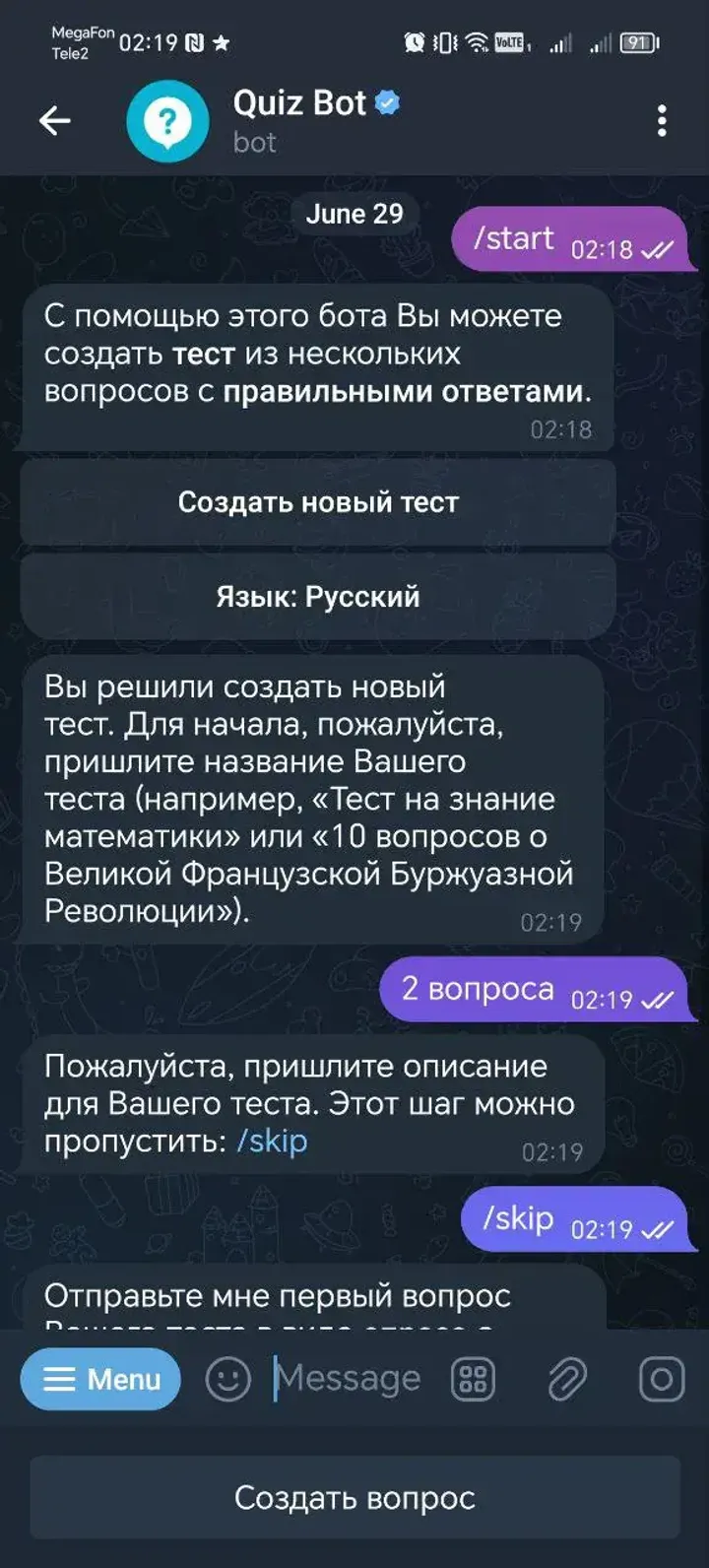
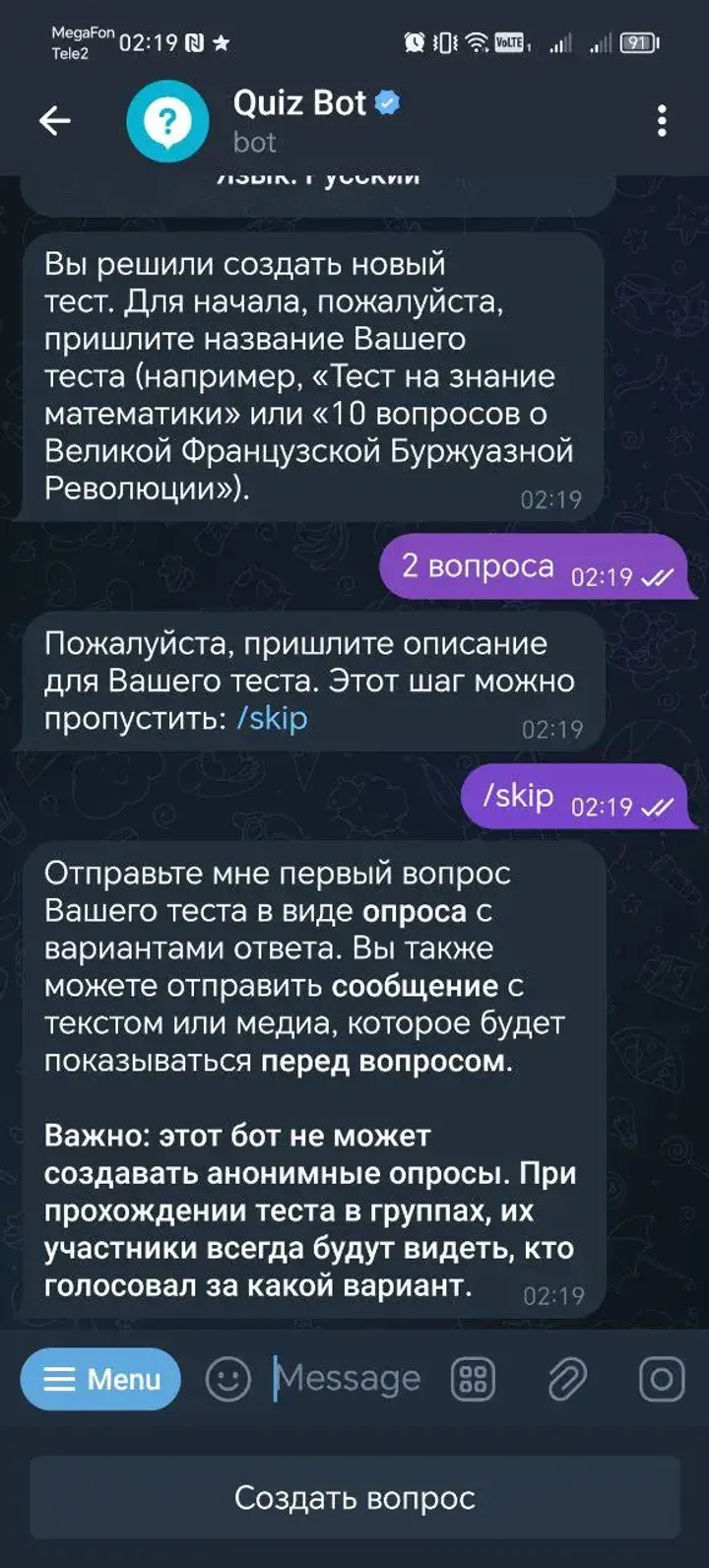
Open @quizbot, press Start and follow the creation prompts. Enter a title and optional description. For an example question, use “What is 2 + 2?”, add answer choices 3, 4 and 5, and mark 4 as correct.
Based on the creator's documentation · 1
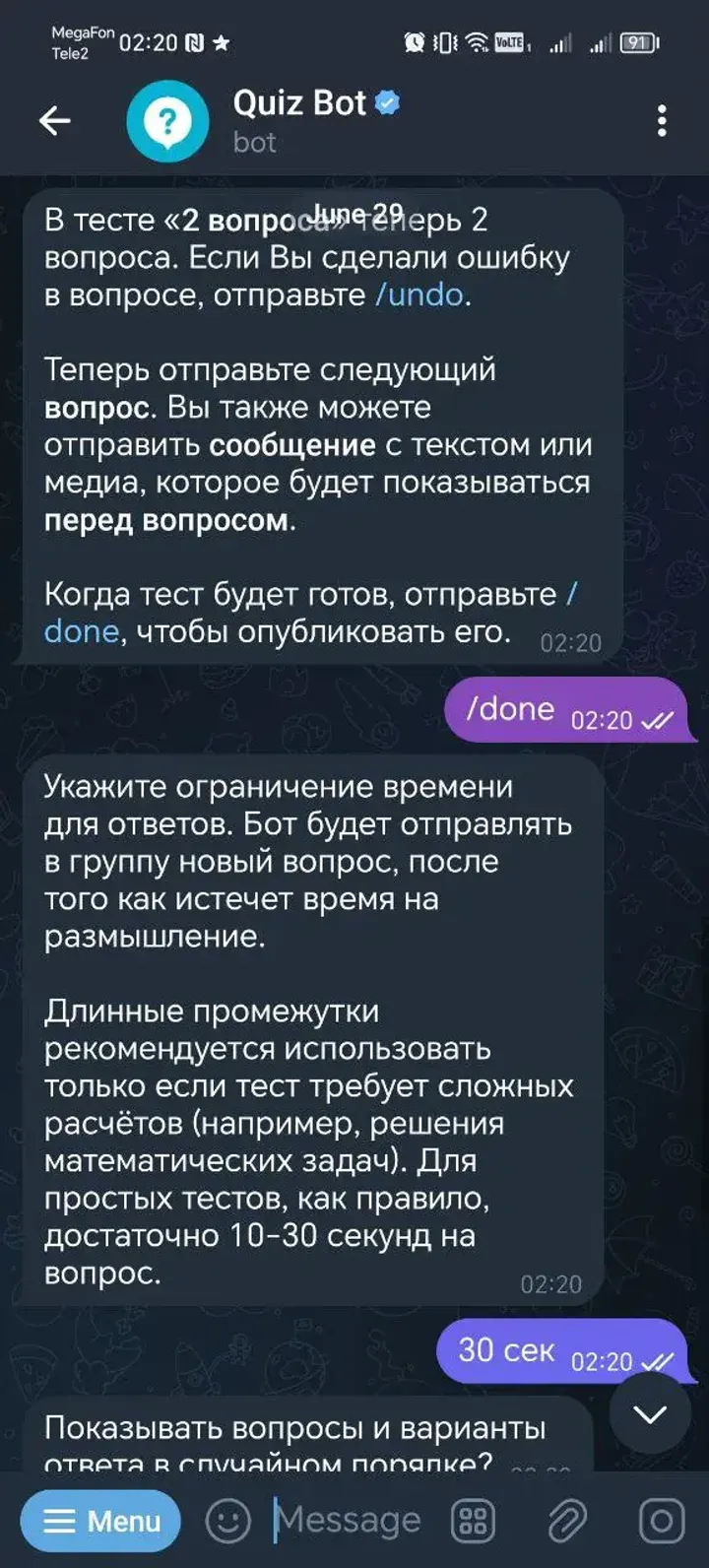
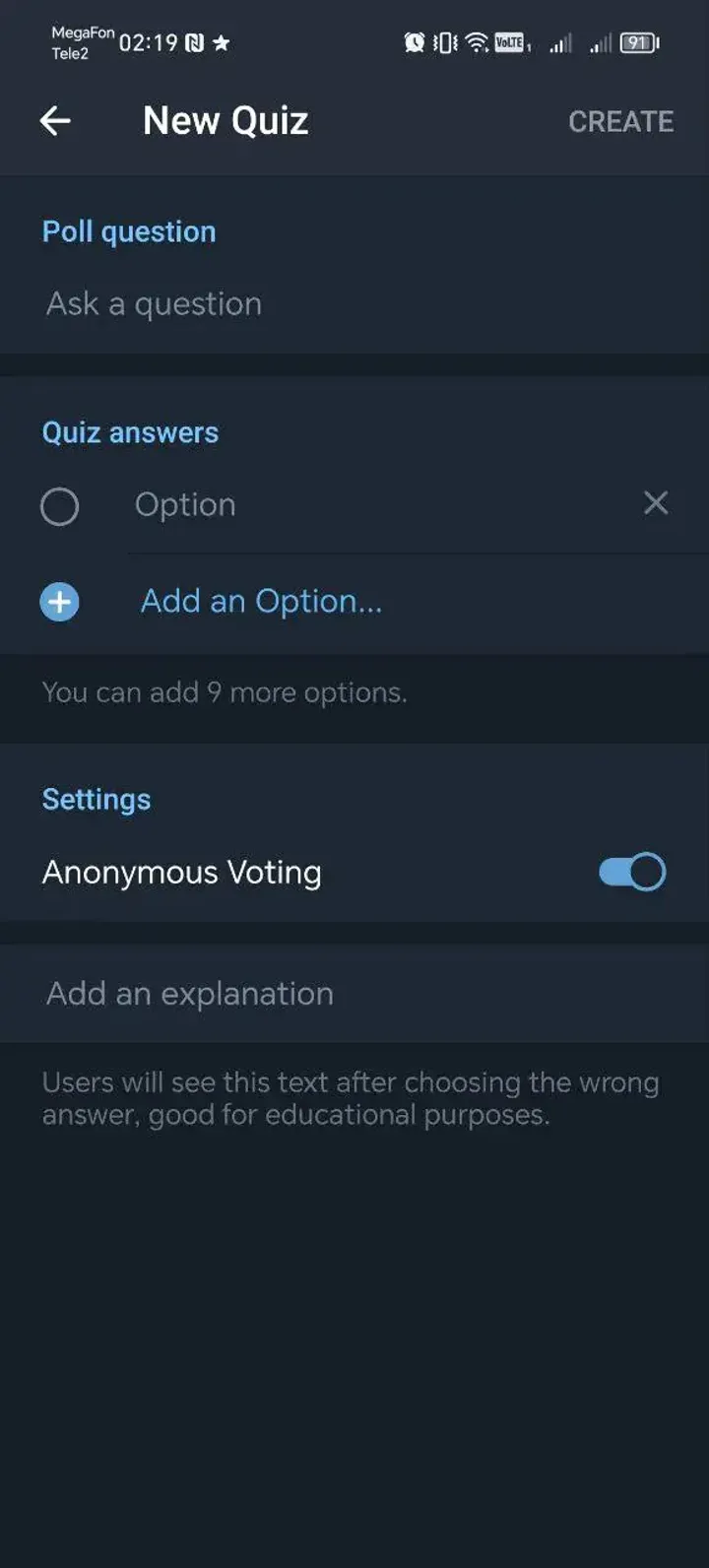
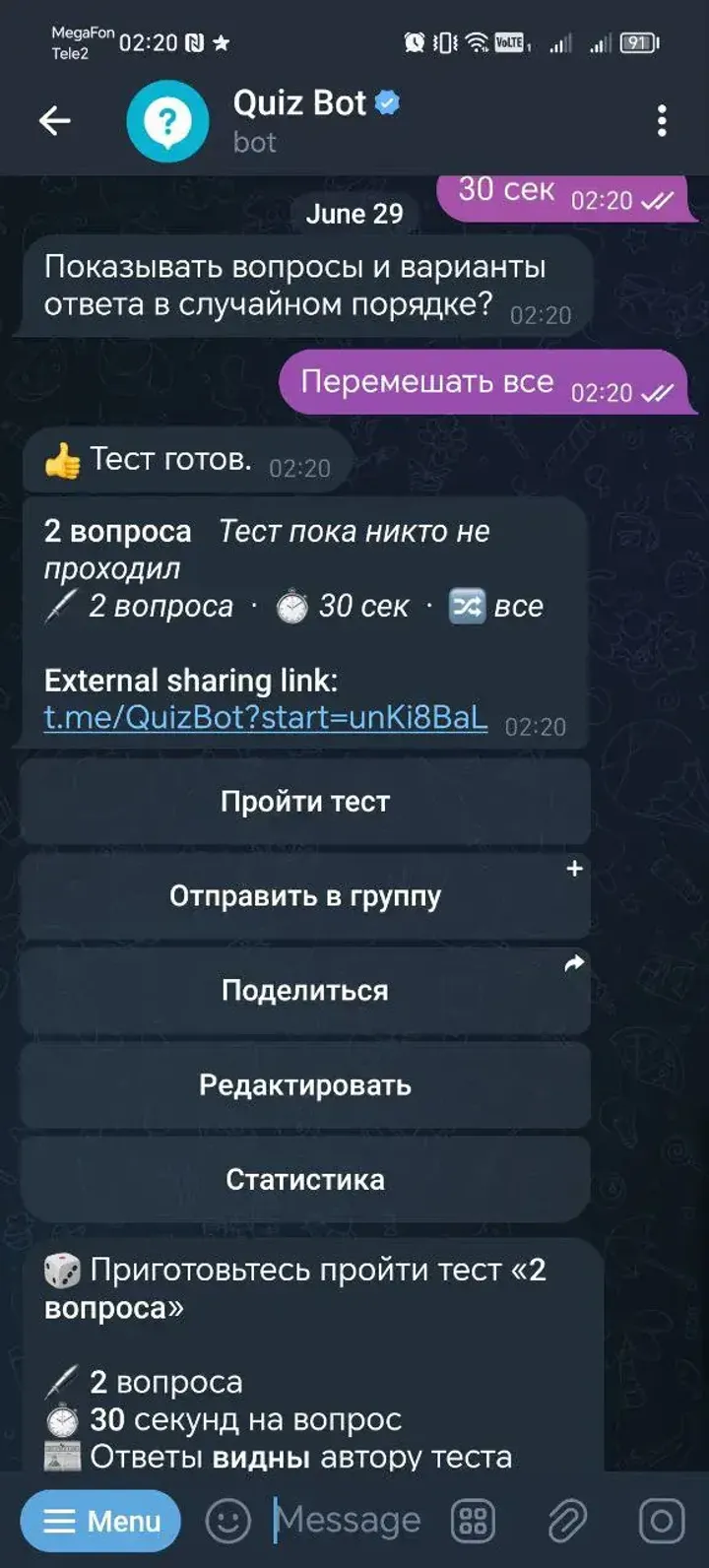
Choose Create a question, fill the question and options, mark the correct answer and send the question to the bot. Repeat for another question, then send /done. Follow the prompts for the timer and whether questions or answers should be shuffled.
Based on the creator's documentation · 1
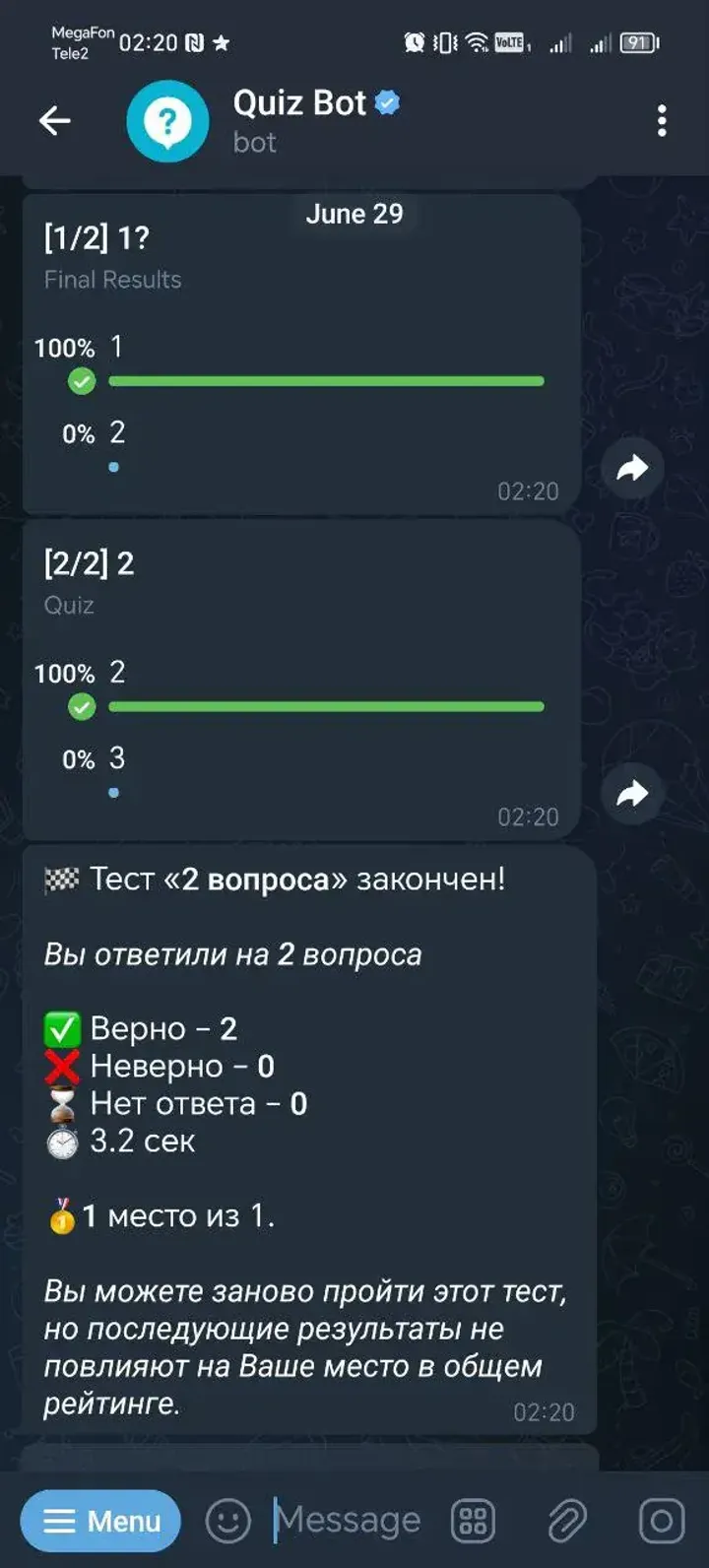
The documented result is a reusable quiz. Start this quiz lets you take it privately; sharing or starting in a group is a separate action. Begin with a short quiz to review your questions before sharing.
Based on the creator's documentation · 1, 2
 388
)
388
)
Common questions about Telegram bots
 R
R
 T
T
 P
P
 I
I